How to Change Default Apps on Mac for Any File Type
You double-click a .yml file and it opens in TextEdit, or even worse, Xcode. A .svg opens in Chrome. You close it, right-click, "Open With", pick the right app. EVERY. SINGLE. TIME.
I did this for way too long before finding a literally 30-second fix that's built right into Finder.
The Fix: Get Info → Open With → Change All
Step 1: Create a placeholder file (or find an existing one)
You need any file with the extension you want to reassign. If you don't have one handy:
mkdir temp && cd temp
touch config.yml config.json notes.txt index.html main.go App.tsx
This creates empty files for each extension you want to fix.
Step 2: Right-click → Get Info
Right-click the file and select Get Info (or press ⌘I).
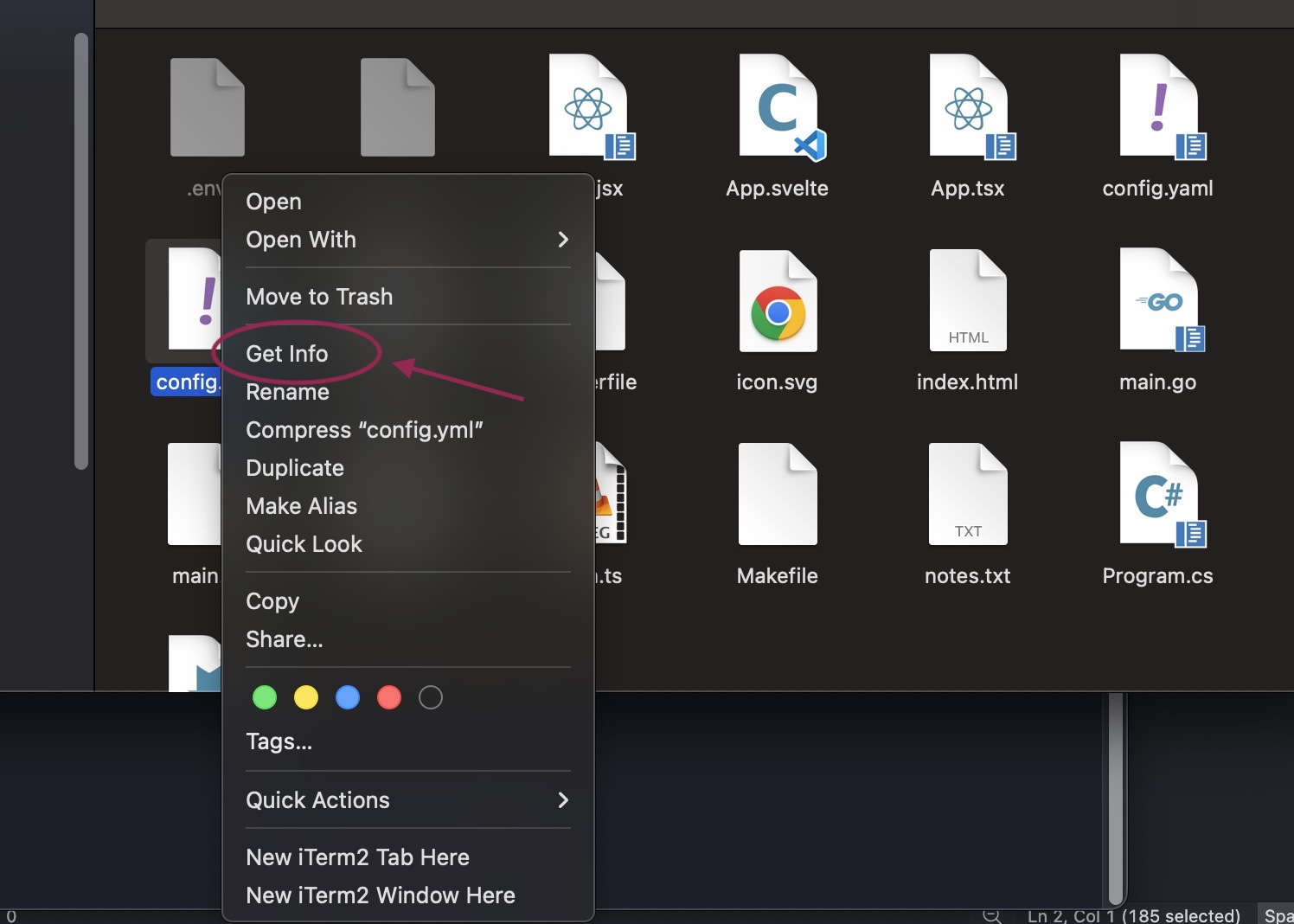
Step 3: Change the "Open with" application
In the Info panel expand the Open with section. Click the dropdown and pick your editor: VS Code, Cursor, whatever you use.
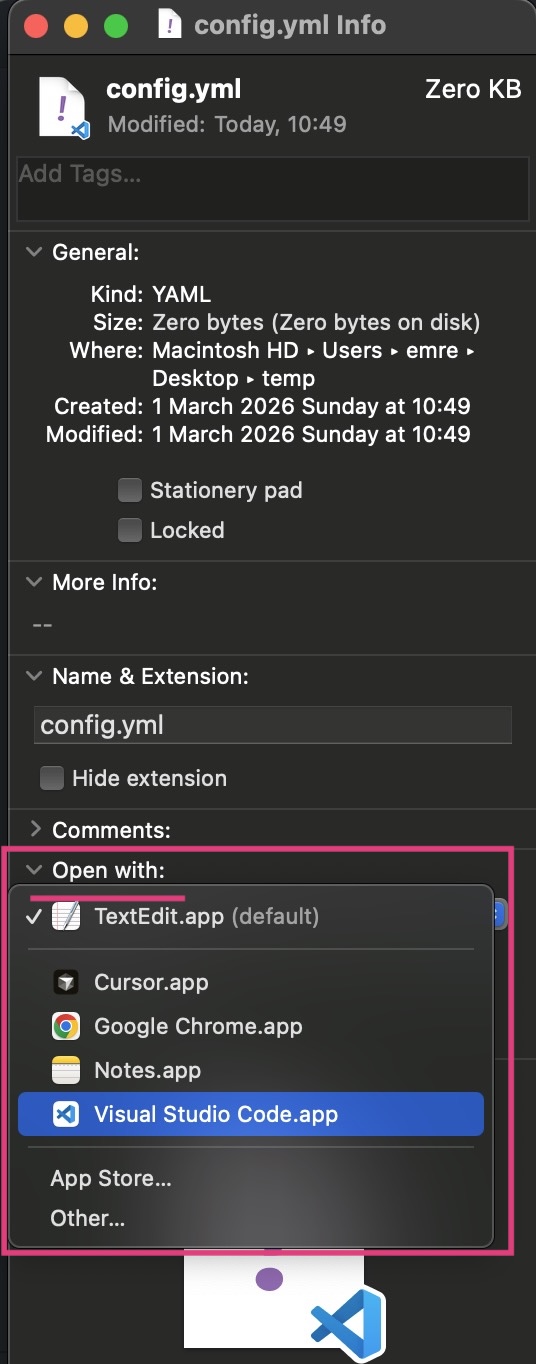
Step 4: Click "Change All..."
Below the dropdown there's a "Change All..." button: click it. Unfortunately most people don't even notice it's there. This applies your choice to every file with that extension on your Mac, not just this one.
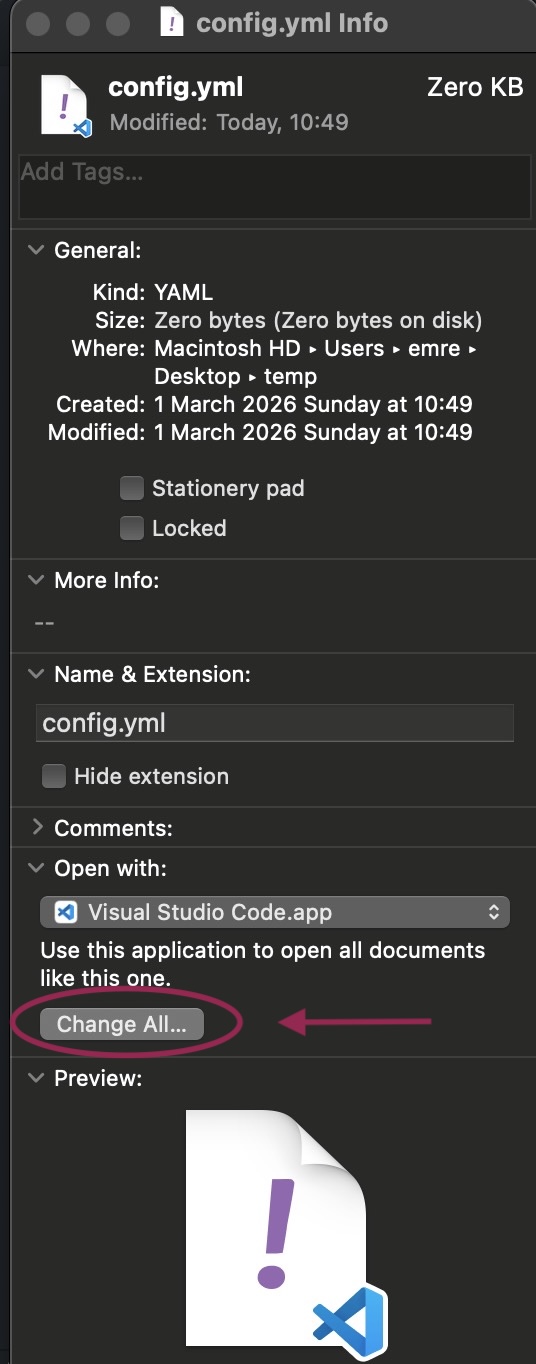
macOS will ask you to confirm. Click Continue. Done.
Step 5: Repeat for each file type
Go through each extension you care about. Here's what I use:
| Extension | App |
|---|---|
.json, .yml, .yaml | VS Code |
.ts, .tsx, .js, .jsx | VS Code |
.go, .rs, .py | VS Code |
.html, .css | VS Code |
.svg | VS Code (not Chrome) |
.txt, .md | VS Code |
Step 6: Delete the temp folder
cd .. && rm -rf temp
Why bother
I've done that sequence hundreds of times. Unfortunately it's never just "20 seconds": you were mid-thought on something completely unrelated to file associations.
Five minutes to set this up, never think about it again.
Troubleshooting
The app I want isn't in the dropdown: click "Other..." at the bottom of the list to browse all applications.
The default keeps resetting after macOS updates: Apple sometimes resets file associations during major updates. You'll need to redo this after upgrading but it takes under 2 minutes.
I want to reset to the macOS default: open Get Info, select the original app (usually Preview, TextEdit, or QuickTime) and click "Change All..." again.